Tuesday, 4 March 2014
Samsung galaxy S5 full device specification
Samsung SM-G900I - for Asia
Samsung SM-G900K/G900L/G900S - for Korea
Samsung SM-G900M - for Vodafone
Samsung SM-G900A - for AT&T
Samsung SM-G900T - for T-Mobile
Samsung SM-G900V - for Verizon
Samsung SM-G900R4 - for US Cellular
Samsung SM-G900P - for Sprint
3G NetworkHSDPA 850 / 900 / 1900 / 2100
4G Network LTE (market dependent)
SIMYes
Announced2014, February
StatusComing soon. Exp. release 2014, April
Weight145 g (5.11 oz)
- Fingerprint sensor (PayPal certified)
- IP67 certified - dust and water resistant
- Water resistant up to 1 meter and 30 minutes
Size1080 x 1920 pixels, 5.1 inches (~432 ppi pixel density)
MultitouchYes
ProtectionCorning Gorilla Glass 3
- TouchWiz UI
LoudspeakerYes
3.5mm jackYes
Internal16/32 GB storage, 2 GB RAM
EDGEYes
SpeedHSDPA, 42.2 Mbps; HSUPA, 5.76 Mbps; LTE, Cat4, 50 Mbps UL, 150 Mbps DL
WLANWi-Fi 802.11 a/b/g/n/ac, dual-band, DLNA, Wi-Fi Direct, Wi-Fi hotspot
BluetoothYes, v4.0 with A2DP, EDR, LE
NFCYes
Infrared portYes
USBYes, microUSB v3.0 (MHL 2), USB On-the-go, USB Host
Features1/2.6'' sensor size, 1.12 µm pixel size, Dual Shot, Simultaneous HD video and image recording, geo-tagging, touch focus, face and smile detection, image stabilization, HDR
VideoYes, 2160p@30fps, 1080p@60fps, HDR, video stabilization, dual-video rec.
SecondaryYes, 2 MP, 1080p@30fps, dual video call
ChipsetQualcomm MSM8974AC Snapdragon 801
CPUQuad-core 2.5 GHz Krait 400
GPUAdreno 330
SensorsAccelerometer, gyro, proximity, compass, barometer, temperature, humidity, gesture, heart rate
MessagingSMS(threaded view), MMS, Email, Push Mail, IM, RSS
BrowserHTML5
RadioNo
GPSYes, with A-GPS support and GLONASS
JavaYes, via Java MIDP emulator
ColorsBlack, White, Blue, Gold
- Wireless charging (market dependent)
- ANT+ support
- S-Voice natural language commands and dictation
- Smart stay, Smart pause, Smart scroll
- Air gestures
- Dropbox (50 GB cloud storage)
- Active noise cancellation with dedicated mic
- TV-out (via MHL 2 A/V link)
- SNS integration
- MP4/DivX/XviD/WMV/H.264/H.263 player
- MP3/WAV/eAAC+/FLAC player
- Organizer
- Image/video editor
- Document viewer (Word, Excel, PowerPoint, PDF)
- Google Search, Maps, Gmail,
YouTube, Calendar, Google Talk, Picasa
- Voice memo/dial/commands
- Predictive text input (Swype)
Stand-byUp to 390 h
Talk timeUp to 21 h



Posted in ANDROID PORTAL
Tuesday, 25 February 2014
BEST & CHEAP MTN DATA PLAN TO USE ON ANDROID PHONES
Android User are Not Smilling Atal most especially in a time like this, where almost all network tweak are been blocked and Android users seems to
suffer the most with high consumption rate of data on their device; to those who hate other network, you might
want to consider using Mtn night plan as your sure alternative Plan..
To those who don't know, Mtn night plan gives you 4.5GB to use over the month (1.5GB during the day and 3GB during the night). But some People Know that MTN Night Plan can Still Work any time After Exausting the 1.5GB Meant for Daily Time..
In The Post i will Give You Simple Tweak On How to Use MTN Night Plan on Your Android Phone any Time You Wish without MTN Stoping You But Before then Let Me Give You some Reasons While You Should Start using MTN NIGHT PLAN on Your Andriod Phone..
Reasons Why You Should Consider Mtn Night Plan Package For Your Device
> It gives you a lot of data that will sustain you over
the month
> It can be used during the day time
> It is fast and reliable
> You don't need to off your data on your device
> On Pc, It can simply be used with Simple Server if peradventure
it stopped working during the day time
> You get the return value for what you pay for.
> To those who don't know, Mtn night plan gives you 4.5GB to
use over the month (1.5GB during the day and 3GB during the night). Can You Now See that this Is the best Data Plan that Suit Android Phones?
Well Without waisting Much Of Your Time Let Me Give You simple Step to Follow in Order To Enjoy MTN Night Plan on Your Android Phone
STEPS TO FOLLOW
Make Sure You Sub for MTN Night Plan. To Sub: Load A recharge Card Of 2,500 After that Send 102 to 131 or Dial *102#
After That Download MTN Simple Server HERE
Goto settings,
Create new access point
Name Anyting you like Mine is MTN,
Apn:- web.gprs.mtnnigeria.net
IP:- 127.0.0.1
Port:- 8080
Now Open The simpleserver app
Acess Point:- choose the access point name you created
i.e Mtn
Local Host:- 127.0.0.1
Local Port:- 8080
Click On
HTTP Query:-
Frontquery:- None
Middle Qury:- None
Back Query:- None
Reverse Query:- None
Inject Query:- 0.facebook.com/download.php
Inject Method:- HEAD
Inject Newline:- \r\n
Inject SplitLINE:- Default
Click on HTTP Header:-
Add/Del/Rep Header 1 :
Http
Add/Del/Rep Header 1 :
Music.vodafone.com.tr
Add/Del/Rep Header 2 :
0.facebook.com/download.php
Add/Del/Rep Header 2 : none
Add/Del/Rep Header 3 :
wap.mtnonlineplay.com
Others shul be : None
Click On server Config:-
Fetch Server:- none
Keep Server:- None
Url Replacer:- None
Advaced Mode:- yes
Tunel Proxy:- No
Https Connection:- yes
Server Buffer:- 1024
Screen size:- Normal
Proxy
Host:- 10.199.212.2
Proxy Port:- 8080
Exit and Open it again You can use any of the browsers, BBM, Ucweb, *Opera*, then Connect with the access point you created..
Posted in ANDROID PORTAL
Thursday, 16 January 2014
learn how to type fast on Android mobile just by swiping your screen
Other Features: Support more than 70 languages. Toolbar plugins (Twitter plugin). Mixed language prediction. Keyboard meter and speed statistics tracker . Multiple themes available. One-hand keyboard layout for large touchscreen. Install & activate. After installation, please launch the TouchPal from app list and follow the steps to activate TouchPal X. You may receive a warning when activating TouchPal X saying “This keyboard may collect your personal data.” We take your privacy seriously. TouchPal X does not collect your private data including password or credit card info. The warning message when you enable the keyboard is a standard message in Android for ANY third-party keyboard app. Refer to our privacy policy at www.touchpal.com/privacy policy.html. HOW TO USE TOUCHPAL WAVE - SENTENCE GESTURE. Once you start entering a word, you can use TouchPal Wave to tap on the first correct prediction it makes, and then drag it down to the space bar. Words will dynamically emerge out of the keys, suggesting next possible words in your sentence. You can drag your finger from word to word, eventually entering an entire sentence in a matter of seconds.
Download Touchpal here
Posted in ANDROID PORTAL
Sunday, 5 January 2014
RECEIVE 100MB MONTHLY FROM ETISALAT (TECNO USERS ONLY)
I have found a solution to the promo. You can only receive the 100MB monthly if you subscribe to any of their data plans. So for those who subscribed to the BIS that was recently blocked,
just text HIGH to 8186 on your TECNO phone via the Etisalat sim.
Posted in ANDROID PORTAL , CHEATS AND TRICKS ZONE
Saturday, 21 December 2013
Nokia plans on releasing Android devices soon

still into production
Last week the New York Times revealed
that Nokia has indeed worked on an
Android smartphone as an alternative to
the Microsoft partnership prior to the
acquisition announcement. As it turns
out, the Finns haven't completely
scraped the Android project and are still
working on an Android smartphone. The
report comes from a Weibo account
CTechnology, which has generally been
a reputable source of leaks from China.
we are mentioning China, because this
where Nokia has based the R&D of its
Android smartphoneр dubbed
"Mountain View", more specifically in
the Beijing offices of the company. In
fact, the project is so ahead in its
development that Foxconn has made
and delivered a cool 10,000 "Mountain
View" prototype units to date.
Moreover, there are still more
development that's going around the
prototype and Foxconn is continuing its
manufacturing. According to the report,
the project will continue to live on at
least until November. Then, Nokia
shareholders are bound to approve or
denounce Microsoft's acquisition offer.
As for the "Mountain View" prototype
itself, Nokia has based it on the
Qualcomm Snapdragon 200 8225Q chip
with the sole intention of the Android
smartphone to be affordable. No more
information regarding further
specifications is available at this point.
We wouldn't be surprised if we some of
these prototypes leak when, and if, the
project gets cancelled. The Microsoft
and Nokia deal, however, is likely to
pass and the company's Android
initiative is likely to go bite the dust by
the end of the year. Here's hoping we
at least get to see how the "Mountain
View" prototype looks like if the project
really does go south.
Posted in ANDROID PORTAL
Turns out the software was an absoluty expensive one so i bought it and decided to share for those that really need to expand there phone ram for better experience Download reohosoft ram expander app HERE
The Android Operating System is
the
most popular Operating System
which is
being used in
Mobiles and Tablets. Why? The
answer
is simple, due to Games and Apps.
And
if you’re Mobile or Tablet is running
low
on RAM then you can’t play most
of the
games or run the Apps. The
Android
Operating System also gets
popular with
its multitasking ability which means
you
can do more than one task at a
time on
Mobile. But this multitasking feature
of
Android OS requires the use of
RAM as
the program running resides in the
memory of RAM and if it is low
then you
will feel slow operation of
processes.
The app can increase the RAM of
Smartphone with a new technology
in
which a new file is created called
as
SWAP file on the SD card and this
file is
used as Virtual RAM to boost the
performance of Android
Smartphone.
The App that can do this
unthinkable
task is ROEHSOFT
RAMEXPANDER.
Check Compatibility..
Now after going through the above,
you
must be thinking of using the app
to
increase the RAM on Android
Smartphone. But before using the
ROEHSOFT RAMEXPANDER app
and try
to improve the performance of your
Mobile or Tablet, first check
whether
your device is compatible with the
ROEHSOFT RAMEXPANDER app
or not.
To check compatibility use
MemoryInfo
& Swapfile Check pluginwhich is
free
to download and use. The main
purpose
of the software is to check whether
your
device is compatible with
RAMEXPANDER or not. Reason to
check
is because some Android devices
are not
in spite of root privileges in a place
to
deal with a swapfile, some
manufacturers have this disabled
kernel
side. It is recommended to check
before
you use the ROEHSOFT
RAMEXPANDER
app.
Some of the features of it..
•SD card memory as a
RAM use (SWAP RAM / SWAP
MEMORY)
•Swapfile RAM expansion up
to 4.0 GB (file system limit)
•No limit on SWAP partition!
•The usual performance
degradation when paged not
occur with sd card from
class-8
•Widget for PNP swap (swap
on / off swap)
•Detailed Memory
Information & Analysis
•Autorun
•Swappiness kernel
parameter set
•Easy foolproof use
•(1 click optimization and
automatic calculation)
•Supporting Tung all Android
devices (root access and
Kernelswap support
your
phone & enjoy the fast running
games &
apps...
Questions and complaint post
your comments in the comment box
below
Posted in ANDROID PORTAL
DOWNLOAD Google delivers Android Device Manager App That Allows You To Locate Your Lost Devices From Another Android
Android Device
Manager app that
allows you to locate
your lost devices
from another
Android
You have probably
heard of Google’s
service dubbed
Android Device
Manager, which
allows you to locate
your misplaced
Android device from
the web and lock/
erase it remotely
should it get stolen.
Initially the service
was only accessible
from the web
interface, but now
Google has officially
launched an Android
app that lets you
use one of your
droids to look up
another.
Manager app allows
you to locate your
lost devices from
another Android
powered
smartphone or
tablet and helps
you keep your
personal data
secured. For now,
the mobile version
offers you to reset
your device’s
screen lock PIN and
erase all your data
on the phone.
Manager app is
already available in
the Google Play
Store and can be
downloaded from
the source link
blow.
Posted in ANDROID PORTAL
Tuesday, 10 December 2013
Tecno Phantom A3 Specification and Review

Tecno Phantom A3 is a slight improvement over its predecessor, the A2. A quick spec sheet is presented below for your consumption.
Network and SIM:-
Just like other before it, Tecno Phantom A3 supports 2G GSM900/1800 and 3G HSPDA2100 networks. Also, it uses dual mini SIM with dual standby. The SIMs are inserted by removing the batteries and then inserting the SIMs.
Build and Dimensions:-
As usual, the A3 features a plastic bodied design just like the rest of Tecno devices with a minute thickness. Dimensions stands at 160 x 82 x 8.9mm. It comes in the usual White and Black colours
Display and Resolution:-
Tecno Phantom A3 is a phablet. For those that don't know, a phablet is any smartphone with a diagonal screen size ranging from 5.1 to 6.9 inches. Tecno A3 has a display size of 6.0 inches with a capacitive touchscreen with 16 million colours. Display resolution stands at 720 x 1280 pixels (245 PPI) which is to an extent not too bad.
Camera:-
Tecno Phantom A3 has a 13MP rear camera with auto focus and a flashlight to enable taking pictures in low light areas. The front camera is 8MP which is splendid for Skyping
and video calls or personal photo shoot.
The rear camera can take pictures with resolution 4128×3096 up to 5Mb in size. Videos in 1080p @30fps can be shot with this camera. Geo tagging, face detection are also features of the rear camera. Geo tagging and image size can be changed in the camera settings options as usual.
Memory and RAM:-
Tecno Phantom A3 comes with a whopping 16GB internal memory and a card slot that can support up to 32GB of external memory. That is obviously a great thing and a
upgrade when compared to the A2. The RAM however, is 1GB which is the norm for most Tecno phones and so we are not shocked.
Processor and Operating System:-
Tecno Phantom A3 is equipped with a 1.5GHz MediaTek MT6589T processor and OS Android 4.2.2 Jelly Bean. Just like the others, its a quad - core processor that is able to
handle jobs well.
Connectivity:-
The usual suspects in terms of Bluetooth 4.0, WiFi (dual band), WiFi hotspot, USB port, AGPS, GPS are all present. Also, internet connection has the following transfer rates; 2G GPRS – up to 85.6 kbps; EDGE – up to
236.8 kbps and 3G Up to 22.2 mbps downlink; Up to 5.76 mbps uplink.
Battery and Performance:-
Tecno Phantom A3 comes with a 2600mAh battery power and it would be safe to assume that it will perform well in different situations its subjected to.
Utility Apps:-
Apps like Whatsapp, Facebook, Gmail app, Flashshare etc are pre installed into the device.
In a matters of time we shall be bringing a video review of this device to you
However, keep in mind that the A3 is a phablet and as such should function as such.
We believe that Tecno is trying to attend to loyal customers that need a phablet.
What do you think of this Tecno Phantom A3? Give us your opinions in comment box
Posted in ANDROID PORTAL
EASY WAY TO LIMIT DATA CONSUMPTION ON YOUR ANDROID PHONE
to limit data usage or just want
complete control over your
device's data connection (or
both!), then DroidWall is the
perfect app for you.
With different Nigerian Networks
doing away with unlimited data
plans, more people have to worry
about hitting data caps. If you're
still one of the lucky few with
unlimited data
and are merely looking for more
control, this app could still be the
answer.
This app is for rooted users
only.
application that utilizes iptables to
effectively block or allow data
connection access for selected
applications. This firewall is
simple, user-friendly, and has
many features that can be put to
use in a number of ways.
As a user, you can choose between
two different modes:
White List - In which selected
applications will be allowed data
network access.
applications will be denied data
network access.
In addition to the mode options,
you can also select what
connection type you want to block
or allow, be it Wi-Fi or the one
provided by your Service Provider.
So if you want to grant
only Wi-Fi access to apps that
consume large amounts of
data,you can
After the settings have been
tweaked to your liking, you have
the option to apply rules, which
will save the settings and
automatically restore them when
you restart your device. Under
"More," there are also options to
enable logs, set a password for
DroidWall, and, if you're a more
advanced user, set custom
scripts. If you know a thing or two
about iptables, you can use those
custom scripts to block access to
certain ip addresses,
set rules involving HTTP, HTTPS,
SSH, and much more.
Final Thoughts
DroidWall is not only its
simplicity, but usefulness. This
firewall can be used to limit data
usage and stay far, far away from
those pesky data caps.
Alternatively, you can cut off
network access to
untrustworthy apps and even
remove ads (Editor's Note: We
love and support the development
community, so we strongly advise
against blocking
ads).
An app this useful has to be
expensive, right? Wrong. It's
free
and you can check it out for
yourself on Google Playstore or DOWNLOAD HERE
Dont Forget to share this topic and drop your comments
Posted in ANDROID PORTAL
HOW TO ROOT YOUR ANDROID N3, D3, D5 AND P3 PHONES FOR BETTER PERFORMANCE
2. Go to settings on
the phone >
Application: check
unknown source > tap
preferred install
location> select
internal device storage
> tap development >
check USB
debugging > Allow
mock locations
Internet access on the
phone.
for the main rooting.
phone:
your phone.
application you
downloaded above,
the installed poot
application from your
menu icon
download ministro
services
Ministro II library from
Google play store.
open the poot
application again
QT libraries, do that
and your phone should
restart automatically
restart it yourself.
memory card and boot
the
phone without a
memory card.
phone gets to home-
screen quickly go tap
on the poot application
and tap on press
here to poot
step your phone
should shut down
automatically (if it
doesn't, restart
your phone and repeat
from step 5).
goes off, it should
come back,
but if it does not you
have to remove the
battery and put it
back, then start it.
tap on the poot
aplication immediately
your phone gets to
the home-screen
well then you should
see an option to
download super user
and root checker.
steps again till you see
this two options.
install the super user
and root checker from
the link on poot.
checker and click verify
to check the status of
your phone.
congratulation your
phone has root
access.
materialized while
pooting, simply restart
and keep trying.
Posted in ANDROID PORTAL
How To Increase Your RAM Size On Android Phones
me, how do i increase my smartphone
performance or how do i increase my
smartphones ram etc.. This is the
question that is asked by every
Smartphone user who is not able to play
high-graphics games on their Mobile due
to lack of extra RAM Memory. Most of
those users also feel frustrated with
slow performance on their Android
based Mobiles and Tablets. So
i researched and found the solution just
an application called ROEHSOFT RAM
Expander.

most popular Operating System which is
being used in
Mobiles and Tablets. Why? The answer
is simple, due to Games and Apps.
And
if you’re Mobile or Tablet is running low
on RAM then you can’t play most of the
games or run the Apps. The Android
Operating System also gets popular with
its multitasking ability which means you
can do more than one task at a time on
Mobile. But this multitasking feature of
Android OS requires the use of RAM as
the program running resides in the
memory of RAM and if it is low then you
will feel slow operation of processes.
The app can increase the RAM of
Smartphone with a new technology in
which a new file is created called as
SWAP file on the SD card and this file is
used as Virtual RAM to boost the
performance of Android Smartphone.
task is ROEHSOFT RAMEXPANDER.
Check Compatibility..
Now after going through the above, you
must be thinking of using the app to
increase the RAM on Android
Smartphone. But before using the
ROEHSOFT RAMEXPANDER app and try
to improve the performance of your
Mobile or Tablet, first check whether
your device is compatible with the
ROEHSOFT RAMEXPANDER app or not.
To check compatibility use MemoryInfo
& Swapfile Check pluginwhich is free
to download and use. The main purpose
of the software is to check whether your
device is compatible with
RAMEXPANDER or not. Reason to check
is because some Android devices are not
in spite of root privileges in a place to
deal with a swapfile, some
manufacturers have this disabled kernel
side. It is recommended to check before


app.
RAM use (SWAP RAM / SWAP
MEMORY)
to 4.0 GB (file system limit)
degradation when paged not
occur with sd card from
class-8
on / off swap)
Information & Analysis
parameter set
automatic calculation)
devices (root access and
Kernelswap support
DOWNLOAD
DOWNLOAD
phone & enjoy the fast running games &
apps...
Questions and complaint post your comments in the comment box below
Posted in ANDROID PORTAL
SIMPLE WAY TO USE TO ANDROID APPS ON APPLE IPAD AND IPHONES
Here we go
the application on
you might have an
error says Apha Is
Expired! New
Release available.
Don't worry you can
solve it by
changing the
current date of
your computer.
Select your
computer date
few months back
and try again to and
you should not have
any problems.
iphonDroid
your iphone or ipad
by USB cable to
your computer and
click on "Shoot"
button.
moment, it will
detect your iPhone
and start the
process of finding
the necessary
drivers and files for
the Android
touchscreen this
process will take a
few minutes.
iPhone or iPad will
restart
automatically and
enters into the
Recovery mode.
iPhonDroid
application and click
"Exit Recovery
Mode" to star your
iPhone or iPad.
you can run android
apps in your iPhone
or ipad.
Posted in ANDROID PORTAL
How to Install Android on Your iPhone 2G or 3G with iPhoDroid
Step 1: Make sure your iPhone is jailbroken and Cydia is up to date. If it’s not jailbroken, do so by using JailbreakMe.
Step 2: Download the latest version of iPhoDroid 1 shot from here. The download link is at the very bottom left of the page.
Step 3: Make sure your iPhone is connected to your computer via the USB cable. Launch iPhoDroid and click “shoot”.
Step 4: iPhoDroid will extract the touch driver and transfer the cache/system/data folders to your iPhone.
Step 5: iPhoDroid will now place your iPhone in recovery mode.
Step 6: After that, you will get the OpeniBoot splash page with different options (Apple, Android, Install, Uninstall). Use the volume buttons to highlight the “Install” option, then tap the Home button to select it.
Step 7: Some code will then be running on your screen. Once done, your iPhone will reboot in the Android OS.
Done! You can now enjoy your crippled iPhone running Android.
If you’re one of the few courageous men out there to try this hack, please let us know how it’s working for you by leaving a comment below.
Posted in ANDROID PORTAL
Friday, 29 November 2013
GAMES:DOWNLOAD PES 2014 FOR YOUR ANDROID MOBILE (.APK)


- TrueBall Tech: this might be considered the biggest changes in PES 2014 to help gamers can perform more advanced moves more, and you can see this when watching the trailer above, when that the players came out pretty much able to outperform techniques enemy.
- MASS (Motion Animation System Stability): much influence as the ability to override the dispute rested ball player. It looks like this will help the ball resting phase which 2 other players to adhere to a very unrealistic way in PES 2013 are removed.
- PES ID: helping to simulate the movements of the players in PES more like the real-life players (mean many players will be made closer to the habit, PES 2013 game play rather than just focus on 50 players).
- Team Play: Players can set different strategies for many players.
- Heart: factors impact player when playing at home or from the audience. For example, when playing at home is going to rock your team better.
- The Core: This also can be considered as one of the biggest changes of PES 2014 ensures the continuity of the game left many cut scenes after the special phase ball. In addition, movement, facial expressions and more realistic player (of course). How to kick also changes ...


Posted in ANDROID PORTAL
AWESOME GAMES:DOWNLOAD (GOD OF WAR CHAINS OF OLYMPUS) FOR YOUR ANDROID NOW


How it work’s ? see the instruction on the video below
Download PPSSPP Gold v0.5 APK I 1.2Mb
God Of War Chains Of Olympus For android Download I 1.3GB Direct link Exclusively !!
Posted in ANDROID PORTAL
How to Download Android Apps straight to you Pc from Google play store and Get the installation file
In today's post We will be showing you how you can Download Apps straight to your PC from Google play store the advantage of this is that you will have the Apk installation file on your computer which you can share with your friends either via Bluetooth or USB connection

So lets roll it out
First Click Here to enter the Google Play store
Use the search field to search for any of your favourite App, I mean the App you wish to download
then copy the link see the screenshot below

see screenshots

Lastly click on the Download now to start downloading your Apk file.
NOTE:This method doesn't work on paid app, because then everyone would make piracy and ... The payment apps are protected from abuse!
Hope it Helps...please use the share button to share this post to your friends and posts your comments it would be really nice to hear from you
cheers!!!
Posted in ANDROID PORTAL
GAMES:DOWNLOAD THOR 2 THE DARK WORLD (IN -3D)


Game description: Thor 2: the dark world
Features:
- 90 tasks
- Call brave Experts to strengthen your ranks of soldiers
- Use mighty abilities of allies: teleportation, treatment, etc.
- Beat off ruthless attacks Etuns, Marauders, Giants and Dark elves.
- 10 powerful hammers and sets of armors of Thor
- 4 arenas for fight
- DOWNLOAD ZIP EXTRACT HERE
- DOWNLOAD APK HERE
-Extract the zip extract file to sdcard/android/obb folder
- then run the apk file
- Have a wonderful gameplay..... dont forget to share this post and post your comments
Download Apk
Posted in ANDROID PORTAL
10 REASON WHY WHATSAPP IS BETTER THAN BBM

ads

Just read all the Differeces between them and finally vote for your Best at end of article.
BBM vs Whatsapp in following Features
1.Installation 2.Management of Contacts.3.Chat 4.Group Chats
5.Voice messaging and Video Chatting 6.File Sharing
7.Status and Profile 8.Price
9.Additional Features 10.Inviting friends
Must Check: Best whatsapp Alternatives
1.Installation:


2.Management of contacts:
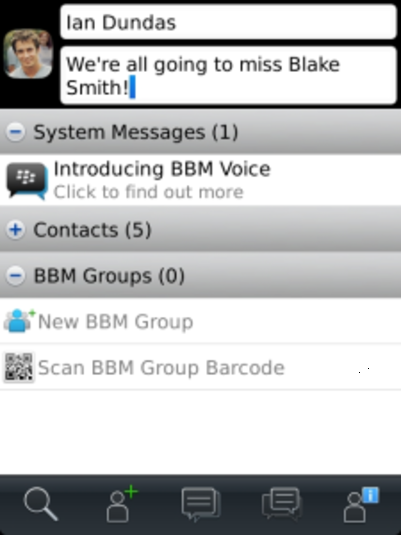
- In whatsapp, if you have to add someone, you need their number in your contacts, otherwise they are not displayed. This means, you don’t get to choose who you want on your WhatsApp contact list — a reason for many users to stay away from this service.
- However whatsapp has the blocking system, through which you can block someone you don't want to talk to. BBM has the same blocking system.
- Of course, since the contact you decide to block has your phone number, a quick follow up on the other side over SMS or even voice calling is likely. But WhatsApp does have a way to mark contacts as favourites for easy access — a feature missing from BBM.
- Where on the other hand, bbm doesn't need anyone's phone number to add them, but just the BBM code of the other person.
- Both the apps offer group chats, but BBM being the better one in this feature as it has classifications.
3.Chat:
Must Check: Protect Whatsapp with Password
- Whatsapp shows one tick by sending and two ticks to represent that the message has been sent. BBM, on the other hand, ticks off when your message is sent to the server, a ‘D’ mark when it is delivered to the receiver and an ‘R’ when the receiver has seen it.
- Whatsapp shows the last seen time stamps of the one you are talking to, but BBM doesn't have this feature.
- BBM also has a few extra features. Conversations can be copy pasted elsewhere and emailed.

4.Group chats:
 Both the apps support group chats. Whatsapp allows the user to share images,audio,video,location and contacts. BBM allows image sharing but none of the others in group chat. this may be a drawback in bbm. However,BBM makes up for the discrepancy with shared to-do lists and events, plus BBM can also host multiple separate conversations which is great for larger groups.
5.Voice messaging and video chatting:
- Both WhatsApp and BBM support the sending of audio recordings recorded directly from the device. BBM's voice recording system is really fantastic with its quality and time.
- Though you can share video files on WhatsApp, there’s no live video chat. Again, BBM wins with stable video chat, and the newer addition of screen sharing.
- Android and iOS users should keep in mind that setting up BBM is free, but in order to have access to these additional features, they will have to pay a small fee.

6.File sharing:

7.Status and profile:
8.Price:
9.Additional features:

10. Inviting friends:
In Whatsapp we can invite our friends by SMS, Facebook, Hangouts, Google+, Email, LinkedIn or Skype and in BBM by SMS, email, NFC, PIN or QR Code Scan.
Bottom Line:
Posted in ANDROID PORTAL



